One phone photo. Three steps to a quote.
No drone, no satellite map, no CAD. The panel layout is worked out from the photo with geometry, so the rows sit flat on the roof and stay the right size.
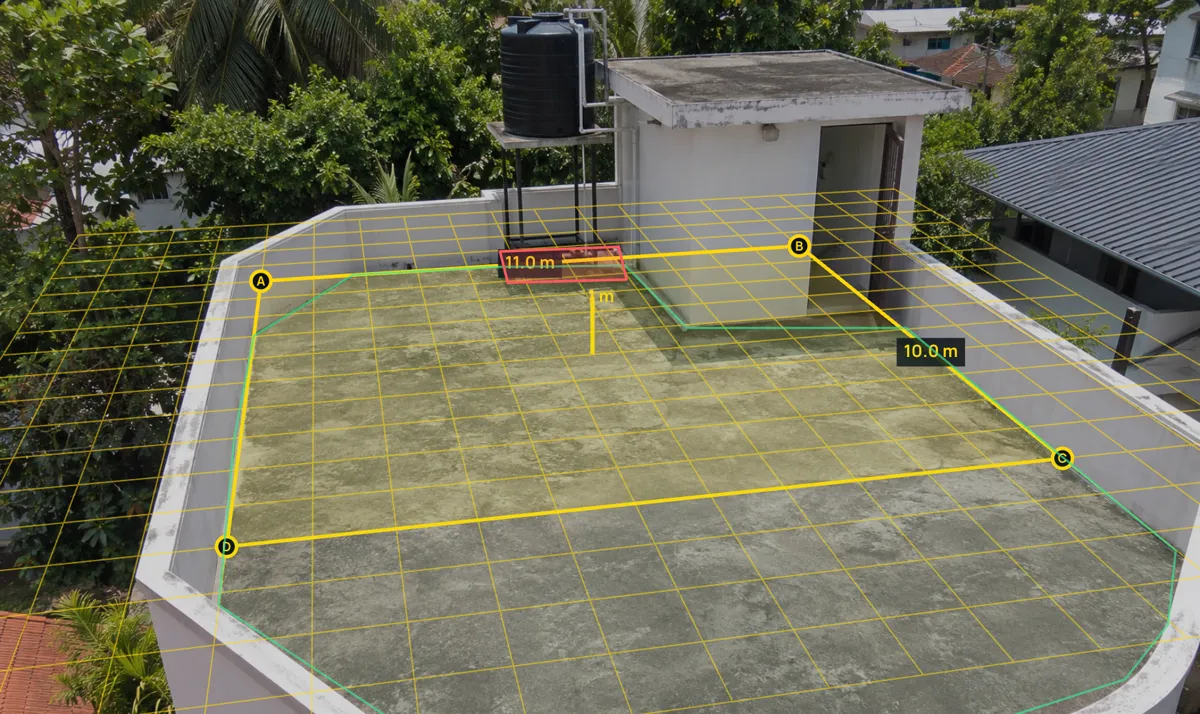
Mark one thing you know the size of
Drag four corners onto a parapet line or tile rows and type its real size. That one rectangle gives SolarQuote the scale of the whole roof.
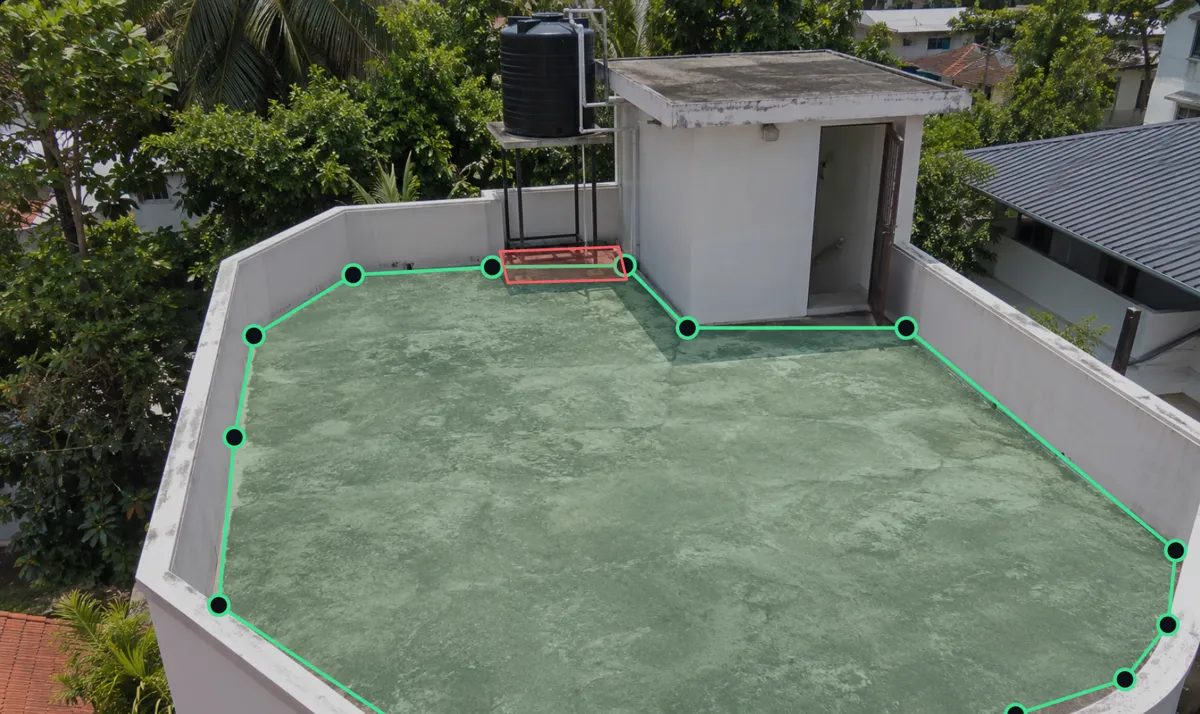
Trace the usable roof, any shape
Click around the terrace or roof slope. Mark water tanks, stair rooms and other obstacles to keep clear.
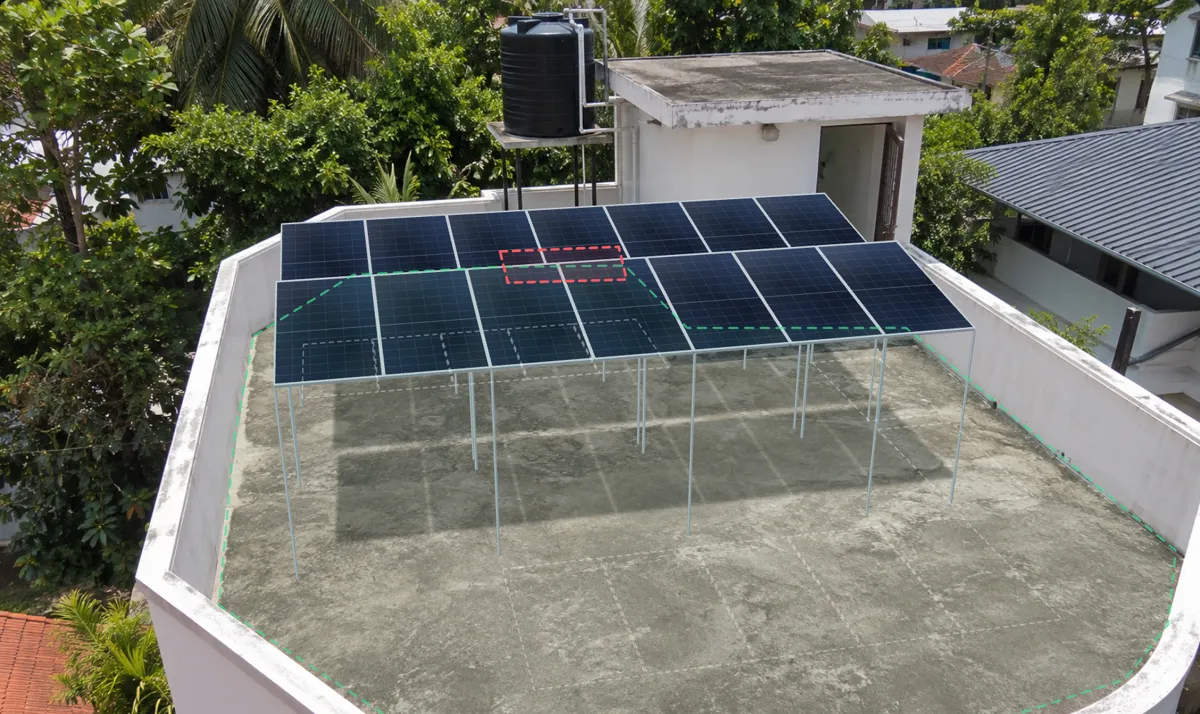
Panels fill it, the quote follows
Rows, setbacks, tilt and row gaps are handled for you. Move or remove panels by hand; the price, subsidy and payback update as you go.
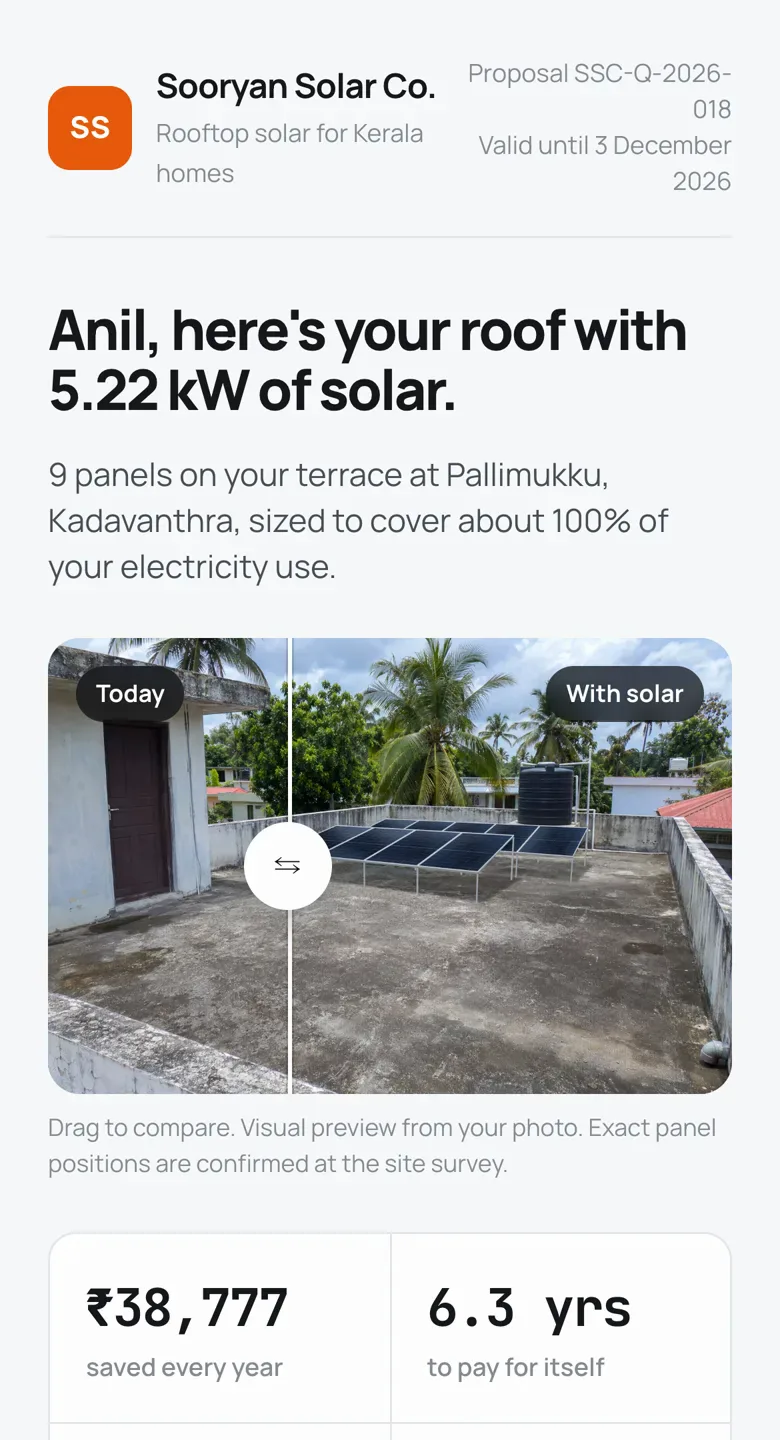
What your client opens on their phone
A proposal page under your company's name, not a PDF they have to zoom into.
- Their roof today, and with solarA before-and-after slider on the photo you took.
- Subsidy, payback and 25-year savingsPM Surya Ghar subsidy, GST and Kerala district yields worked out for them.
- A clear price, line by linePanels, inverter, structure, wiring and installation from your own catalogue and rates.
- Your logo, your colours, an accept buttonAn accept button for the client, and a PDF if they want one.
What it is, and what it isn't
SolarQuote is built to help you sell. Your engineers still design the system.
Early access
We're setting SolarQuote up with the first Kerala installers now. Sharing quote links with your clients is part of that setup.
A sales visualizer, not a design tool
It shows the client roughly where the panels go and what it costs. Every layout is marked indicative, and the final design comes after your site survey.
Works from a phone photo
Take the photo on site, or use one the client sends on WhatsApp. No drone flight or satellite map needed.
Set up for your company
We load your panels, inverters, structure rates and branding, so your sales team sends quotes in your company's name from day one.